|
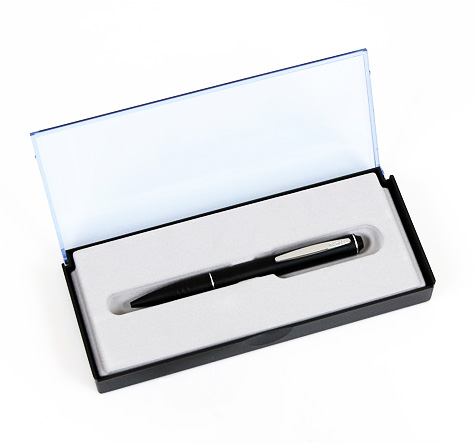
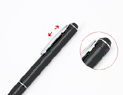
This NEW Digital Voice Recorder looks like a pen and writes like
one too, but it becomes a stealthy
audio recorder once you push
down the pocket clip to start recording and push it up stop
recording.
No
more small buttons or Annoying light, No outside markings indicating the
functions of your device!
It's the perfect gift for anyone who can use a
pen.
For PI, investigators, doctors, nurses, students, sales staffs, managers, and anyone
on the moving job
Record Conversations, Business
Meetings, Interviews, Taking Direction, and Lectures, etc…
Easy
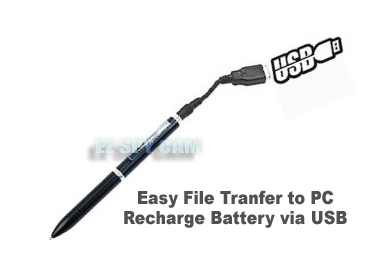
file transfer & Fast battery recharging via USB connection / Writes
exactly as a
regular ballpoint pen
|
|
Unique Present Ideas for Men, Investigators,
Lawyers, Writers, Teachers, Fathers
Cool
Electronic Gadget Gift for Him & Her, Back-to-School Students, Language Learners
|
|
Item#
|
EDR-901
|
|
Description
|
Black
Stealth
Spy Pen Digital Voice Recorder
|
|
Features
|
- This
Product
pushes the limit by introducing a new look and style for the
classic voice recorder. The NEW
Digital Pen and Voice Recorder
has a sleek look and it's easy to use.
- Say
good bye to loud noises, confusing buttons or distracting lights
while you are trying to take important "notes" This
device looks like a pen and writes like one too because it is
a real pen! But push the pocket clip up or down to stop and
start recording.
- The
lightness of
this "pen" makes it much thinner
than most others in the market and it has a higher
quality of audio recording.
- This
is indeed an indispensable tool for any spy!
- NO
MORE SMALL BUTTONS OR ANNOYING LIGHTS
- For
true stealth Voice Recording, you need a device that is
undetectable. This stealth Pen has no markings on the outside that
would indicate it is anything other than a Pen.
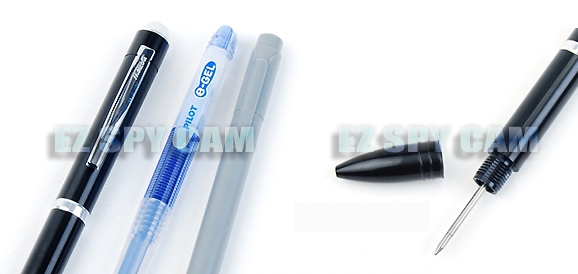
- This
stealth Pen is a fully functional Ball Point Pen. Record your
notes as you are taking them during a meeting or class. Then
review your notes while listening to the recording for any details
you may have missed.
- Push
the pocket clip down to start recording. Push it up to stop
recording. It’s that simple!
- The
Pen Recorder recharges in 4 hours simply by plugging in the
included USB recharging cable. A single charge powers unit for 12 hours of recording.
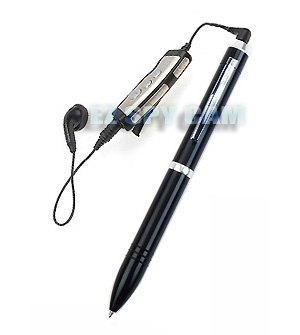
- Either
listen from the included earphone with the wire remote control, or
re-record files to a cassette recorder or other media using the
supplied re-record cable.
|
|
Specification
|
- 128MB
Built-in Flash Memory (Forever rewritable after deleting files
when full)
- XHQ
4.5hrs, HQ 9hrs, LP 18hrs Recording Time
- Automatic
Sensitivity Control For Near/Far Recording
- Built-in
Rechargeable
Battery
- 3hr
one time full charge can record up to 12 hrs & playback up to
8 hrs
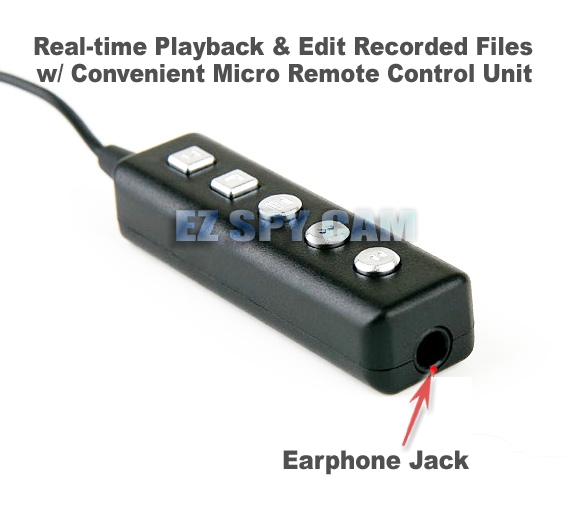
- Real-time
playback & edit recorded files w/ Convenient micro remote
control unit
- Automatic
File Introduction And Various Search Modes
- USB
Connection Cord For Fast
Battery
Recharging
- Easy
& Fast file transfer to PC via USB connection
- Verification
of
Battery
Remainder in 3 Levels
- Earphone
– 10mW / 32ohm
- Dimension
& Weight – 11.4mm x 133.5mm (0.45” x 5.25”) & 18g
(0.64oz)
|
|
Parts
Included
|
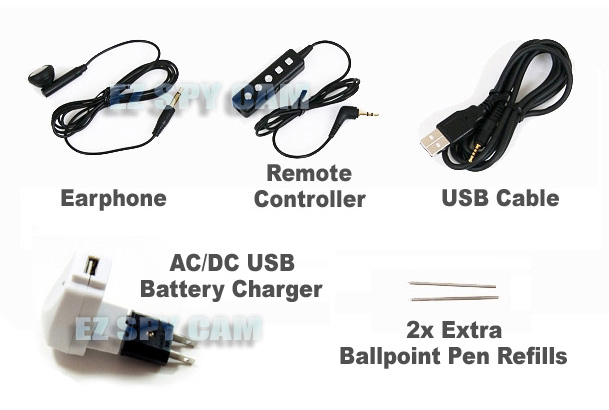
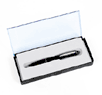
- Pen Recorder
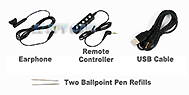
- Plug-in
Wired Remote Controller
- USB
File Transfer & Battery Charging Cable
- Earphone
Set
- Two
Extra Ballpoint Pen Refills
- Voice
manager Software & Full English Manual on CD
- Easy To Follow
Quick Starter Guide
|
|